 Top Lists for USA
Fusion Markets Account Types
Fusion Markets keeps its account options simple. For most people, the choice is between two live accounts – Classic and Zero. They offer the same markets and platforms – the main difference is the fees you pay, with Classic best for newer, lower frequency traders and Zero best for active, higher volume traders.
 Written By
Christian Harris
Christian is a seasoned analyst, leveraging his expertise in stocks, forex, and crypto to evaluate brokers worldwide. With hands-on trading experience and a strong focus on risk management, he helps traders find reliable platforms. Christian's work for BrokerListings.com has been cited in the Financial Times.
Christian Harris Profile Page Fact Checked By
Tobias Robinson
Tobias is committed to helping traders find the right brokerage for their needs. He has tested 200+ brokers, spent 2,600+ hours using different platforms, and placed 2,100+ trades.
Tobias Robinson Profile Page Edited By
James Barra
James is an experienced broker analyst with a background in financial services. He has spent 2,500+ hours testing brokers, used 35+ different platforms and apps, audited 120+ broker T&Cs, and verified 300+ regulatory licenses. James has also been on US and UK TV, and been a guest on finance podcasts, discussing reports conducted by BrokerListings.com and sharing his expertise.
James Barra Profile PageJuly 14, 2026
Account Types
| Account | Pricing | Commission | Best Suited To |
|---|---|---|---|
| Classic | Spread-only, from around 0.9 pips, with all costs built in | None | Newer or lower-frequency traders who want simple, all-in pricing |
| Zero | Raw spreads from 0.0 pips | $2.25 per side ($4.50 round turn) | Scalpers, day traders and active traders who trade often enough for raw pricing to pay off |
Both accounts give you access to the same instruments and platforms with no minimum deposit. So, your choice is about cost, not features. If you trade more than a few lots a week, the Zero account’s raw spread plus low commission is usually cheaper. If you trade less often and don’t want to deal with commissions, the Classic account is simpler.
One technical note: The Classic account doesn’t work with cTrader (or TradingView) because cTrader uses a commission-based pricing model. Classic works on MT4 and MT5. The Zero account works on all platforms.
Other Account Options
- Swap-free (Islamic) account: For traders who can’t pay or receive overnight swaps for religious reasons. It replaces swaps with an administrative fee after a position is held beyond a set number of days. EUR/USD spreads on this setup start a little wider, from around 1.4 pips.
- Demo account: Free with virtual funds, and available on every platform. It’s good for checking if the platform works for you and getting used to the Fusion Markets workflow. However, we see it as a warm-up, not a full replacement for a small live test, especially since it only runs for 30 days. You can, mind you, open more demo accounts manually from the Client Hub.
- Corporate and professional pathways: Fusion offers company accounts and a premium option for heavy users, including VPS perks and prioritized support. There are also managed-account structures (MAM/PAMM) for money managers.
How To Open A Fusion Markets Account
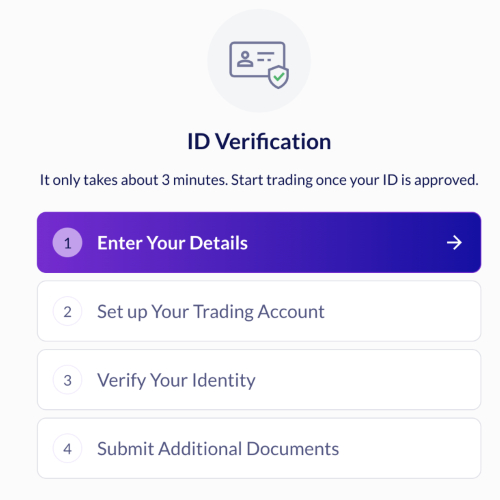
From our experience opening a Fusion Markets account, signing up is easier than with many other brokers and takes about 10 to 15 minutes, often with same-day approval:
- Register with your email and a password. They also have social logins (Google and Apple) which we used as it’s quicker.
- Log in to the Client Hub and complete your profile with personal details and residency. We also recommend enabling two-factor authentication for your account. This can be done via a QR code and an authenticator app.
- Choose your account type, platform, base currency, and leverage, and set a security question.
- Pass the short suitability quiz, which tests your understanding of leverage and CFD risk. If you don’t pass it – you aren’t ready for a live trading account – stick with demo trading.
- Upload ID (passport, driver’s license, or national ID) and proof of address (a recent utility bill or bank statement) to clear KYC.
You’ll need to finish your verification to set up a live account. When we registered with Fusion during testing, approvals were fast, with accounts generally verified within an hour or two (much quicker than the 48+ hours we’ve waited at some other brokers).