Best Brokers With VPS Services 2026
Explore our top forex brokers with VPS hosting that keep you always on, fast, and ready – perfect whether you’re testing algo strategies or scalping the news.
 Written By
Paul Holmes
With over 15 years of trading experience, including developing algorithmic strategies on MetaTrader and evaluating brokers, he brings deep expertise in market analysis and trader education, helping traders choose the right platform for their requirements.
Paul Holmes Profile Page Fact Checked By
Tobias Robinson
Tobias is committed to helping traders find the right brokerage for their needs. He has tested 200+ brokers, spent 2,600+ hours using different platforms, and placed 2,100+ trades.
Tobias Robinson Profile Page Edited By
James Barra
James is an experienced broker analyst with a background in financial services. He has spent 2,500+ hours testing brokers, used 35+ different platforms and apps, audited 120+ broker T&Cs, and verified 300+ regulatory licenses. James has also been on US and UK TV, and been a guest on finance podcasts, discussing reports conducted by BrokerListings.com and sharing his expertise.
James Barra Profile PageOctober 16, 2026
 Our Top Pick in USA
1
Our Top Pick in USA
1
 FOREX.com
-
Available in United States
Not available in United States
Rating breakdown
FOREX.com offers an excellent VPS service via Liquidity Connect. Traders with a minimum $5000 balance and at least 10 monthly round-trip mini-lots can operate algo strategies 24/7 with high uptime. Registration and connection are easy.
- Demo Account
- ✓
- Minimum Deposit
- $100
- Minimum Trade
- 0.01 Lots
- Leverage
- 1:50
- Copy Trading
- ✗
- Regulator
- NFA, CFTC
- Instruments
- Forex, Futures and Options on Metals, Energies, Commodities, Indices, Bonds Forex, CFDs, Stock CFDs, Indices, Commodities, Futures, Options, Crypto
- Platforms
- WebTrader, Mobile, MT4, MT5, TradingView
- Account Currencies
- USD, EUR, GBP, CAD, AUD, JPY, CHF, PLN
- Automated Trading
- Expert Advisors (EAs) on MetaTrader
- AI
- ✓
- Guaranteed Stop Loss
- ✗
Best VPS Brokers Comparison
| Broker | |
USD Account |
Fast Execution |
ECN |
AutoTrading |
|---|---|---|---|---|---|
|
✓ | ✓ | ✓ | Expert Advisors (EAs) on MetaTrader | |
| Broker | |
USD Account |
Fast Execution |
ECN |
AutoTrading |
Broker Details Comparison
| Broker | Demo Account |
Minimum Deposit |
Minimum Trade |
Leverage |
Assets |
Platforms |
|---|---|---|---|---|---|---|
|
✓ | $100 | 0.01 Lots | 1:50 | Forex, Futures and Options on Metals, Energies, Commodities, Indices, Bonds Forex, CFDs, Stock CFDs, Indices, Commodities, Futures, Options, Crypto | WebTrader, Mobile, MT4, MT5, TradingView |
| Broker | Demo Account |
Minimum Deposit |
Minimum Trade |
Leverage |
Assets |
Platforms |
Safety Comparison
Compare how safe the Best Brokers With VPS Services 2026 are.
| Broker | Trust Rating |
Guaranteed Stop Loss |
Negative Balance Protection |
Segregated Accounts |
|---|---|---|---|---|
|
✗ | ✗ | ✓ | |
| Broker | Trust Rating |
Guaranteed Stop Loss |
Negative Balance Protection |
Segregated Accounts |
Mobile Trading Comparison
Compare the mobile trading features of the Best Brokers With VPS Services 2026.
| Broker | Mobile Apps |
iOS Rating |
Android Rating |
Smart Watch App |
|---|---|---|---|---|
|
iOS & Android | ✗ | ||
| Broker | Mobile Apps |
iOS Rating |
Android Rating |
Smart Watch App |
Comparison for Beginners
Compare how suitable the Best Brokers With VPS Services 2026 are for beginners.
| Broker | Demo Account |
Minimum Deposit |
Minimum Trade |
Education Rating |
Support Rating |
Fractional Shares |
Demo Competitions |
|---|---|---|---|---|---|---|---|
|
✓ | $100 | 0.01 Lots | ✗ | ✗ | ||
| Broker | Demo Account |
Minimum Deposit |
Minimum Trade |
Education Rating |
Support Rating |
Fractional Shares |
Demo Competitions |
Comparison for Advanced Traders
Compare how suitable the Best Brokers With VPS Services 2026 are for advanced or professional traders.
| Broker | Automated Trading |
VPS |
API |
AI |
Pro Account |
Leverage |
Low Latency |
Extended Hours |
|---|---|---|---|---|---|---|---|---|
|
Expert Advisors (EAs) on MetaTrader | ✓ | ✓ | ✓ | ✗ | 1:50 | ✓ | ✗ |
| Broker | Automated Trading |
VPS |
API |
AI |
Pro Account |
Leverage |
Low Latency |
Extended Hours |
Accounts Comparison
Compare the trading accounts offered by Best Brokers With VPS Services 2026.
| Broker | Demo Account |
Interest on Cash |
Islamic Account |
Joint Account |
Managed Account |
PAMM |
MAM |
LAMM |
Pro Account |
|---|---|---|---|---|---|---|---|---|---|
|
✓ | ✗ | ✓ | ✗ | ✗ | ✗ | ✗ | ✗ | ✗ |
| Broker | Demo Account |
Interest on Cash |
Islamic Account |
Joint Account |
Managed Account |
PAMM |
MAM |
LAMM |
Pro Account |
Detailed Rating Comparison
Compare how we rated the Best Brokers With VPS Services 2026 in key areas.
| Broker | Trust |
Platforms |
Assets |
Mobile |
Fees |
Accounts |
Research |
Education |
Support |
|---|---|---|---|---|---|---|---|---|---|
|
|||||||||
| Broker | Trust |
Platforms |
Assets |
Mobile |
Fees |
Accounts |
Research |
Education |
Support |
Fee and Cost Comparison
Compare the cost of trading with the Best Brokers With VPS Services 2026.
| Broker | Cost Rating |
Fixed Spreads |
Inactivity Fee |
EUR/USD Spread |
Crypto Spread |
|---|---|---|---|---|---|
|
✗ | $15 | 1.2 | BTC 1.4%, ETH 2% | |
| Broker | Cost Rating |
Fixed Spreads |
Inactivity Fee |
EUR/USD Spread |
Crypto Spread |
Customer Ratings
Compare how customers of these brokers feel about them, with real user ratings from Trustpilot, the Apple App Store and Google Play.
| Broker | Customers |
Trustpilot Score |
Trustpilot Reviews |
Android App Rating |
iOS App Rating |
|---|---|---|---|---|---|
|
450,000 | 2,548 | |||
| Broker | Customers |
Trustpilot Score |
Trustpilot Reviews |
Android App Rating |
iOS App Rating |
Broker Popularity
See how popular the Best Brokers With VPS Services 2026 are in terms of number of clients.
| Broker | Popularity |
|---|---|
| FOREX.com |
|
Why Trade With FOREX.com?
FOREX.com is a top-tier brokerage suitable for forex traders of all skill levels. It offers more than 80 currency pairs, has small spreads starting from 0.0 pips, and features low fees. The platform provides powerful charting tools that include over 100 technical indicators and multiple research aids.
 Christian Harris
Review Author
Pros
- Educational resources include tutorials, webinars, and a YouTube channel to help you learn about financial markets.
- The in-house Web Trader is a top platform for new traders, featuring a sleek design and over 80 technical indicators for market analysis.
- FOREX.com provides top-tier forex pricing beginning at 0.0 pips. They also offer competitive cashback rebates up to 15% for dedicated traders.
Cons
- FOREX.com’s group, GAIN Capital Group LLC, paid a $700,000 NFA fine for improperly managing some client accounts.
- US clients do not have negative balance protection, so you can potentially owe more than your original account deposit.
- Demo accounts have a limited time duration of 90 days, which may not be sufficient for thoroughly testing trading strategies.
Filters
Methodology
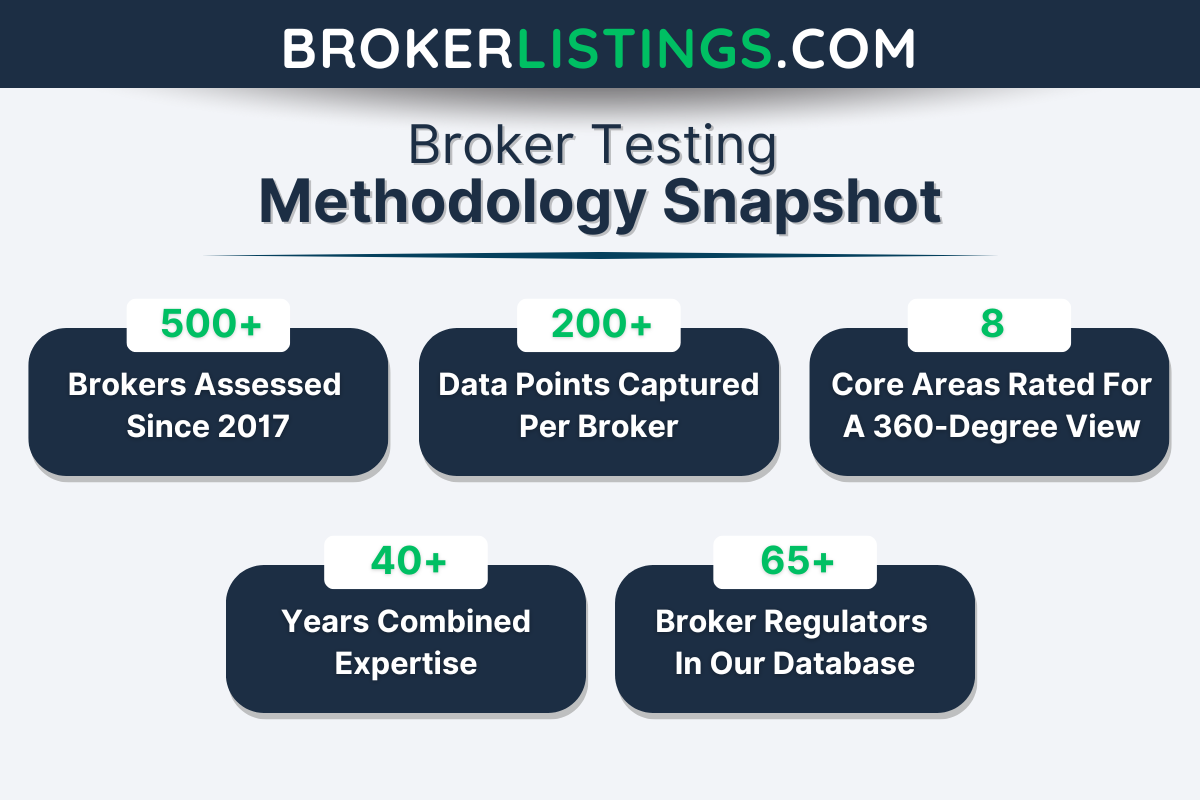
To identify the best brokers offering VPS services, we evaluated over 200 key metrics for each firm in our evolving directory, including essential factors for this style of trading like VPS requirements and performance, execution speed, and support for automated trading.
After hands-on testing of their trading software, we assigned an overall score to each broker and ranked them accordingly.
What to Look for in a VPS Broker
Not all brokers offering a VPS are worth your time. I know this because I’ve used a VPS for real-money trading in various scenarios, which I unpack later on.
Here’s your checklist when choosing a provider:
- Uptime & Reliability (99.9%+): If the VPS crashes, your trades crash. Look for brokers guaranteeing near-perfect uptime.
- Platform Compatibility: Does it support your tools? MetaTrader 4, MetaTrader 5, cTrader, or the increasingly popular TradingView?
- Latency & Server Locations: The closer the server is to your broker/exchange, the faster your orders execute. New York, London, or Tokyo? Choose wisely. If you trade EUR/USD, pick a server in Europe or NYC.
- Security: End-to-end encryption and secure logins (like SSH keys) are non-negotiable.
- Customer Support: 24/7 help matters when your bot goes haywire at 3 AM. Use a free trial or a broker’s free VPS offer to test the waters.
- Cost vs. Value: Some brokers offer free VPS with a minimum deposit (e.g. $500), while others charge $10-$30/month based on our investigations.
Pro tip: Many brokers offer free VPS services if you meet minimum deposit or trading volume requirements. This includes:
- Pepperstone if you trade 15+ lots/month, giving you low latency via Equinix servers.
- IC if you deposit $500, connecting you to servers in NYC, London, and Tokyo.
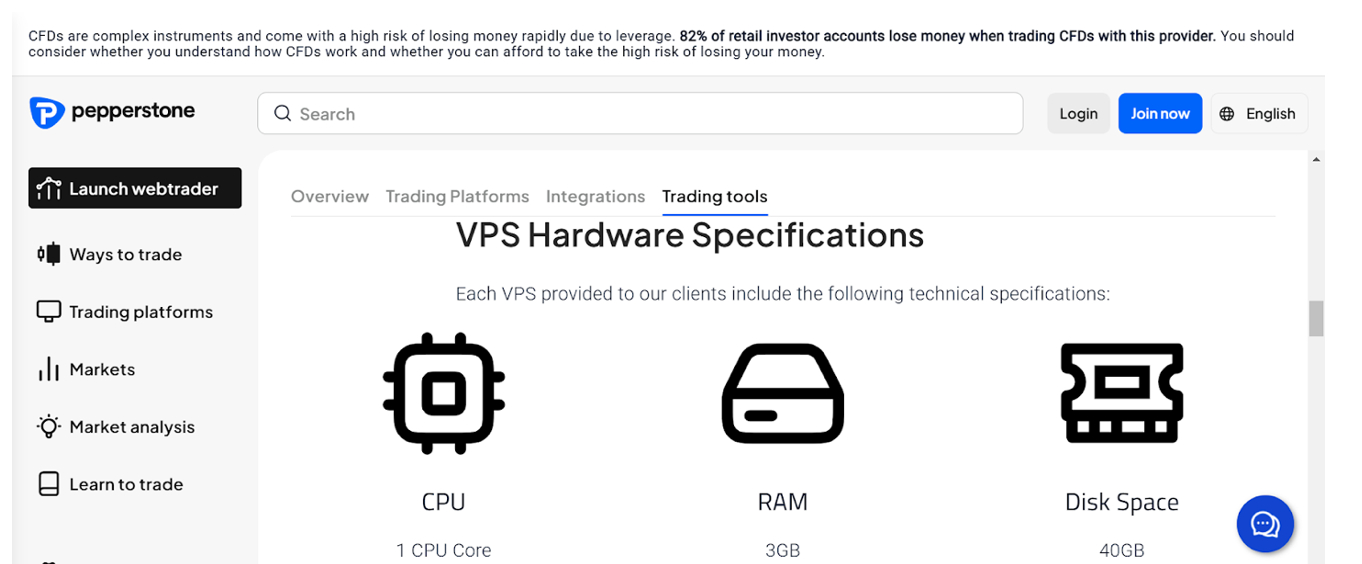
VPS hardware requirements if you use Pepperstone
Examples of VPS in Action: How Traders Use It to Dominate Markets
A VPS isn’t just a “nice-to-have”; it’s a game-changer for anyone serious about trading. Whether you’re automating strategies, chasing speed, or just want peace of mind, the examples below show how a VPS keeps you in the race when others are stuck buffering:
1. Scalping the News
Scenario: You’re trading the Non-Farm Payrolls (NFP) report, where prices swing wildly in milliseconds.
Problem: Your home internet lags, and your manual order fills too late.
VPS fix: Host your trading platform on a VPS located near the broker’s server (e.g., New York for forex). Execute trades in 0.1 seconds instead of 2 seconds.
Expert take: As a part-time trader, I’ve used a VPS to scalp EUR/USD during the ECB rate decision. Orders executed before retail traders on home connections have netted me serious gains in 10 minutes.
2. Running Trading Bots 24/7 (Like Your Own Robot Trader)
Scenario: You built a crypto arbitrage bot that exploits price differences between exchanges.
Problem: Your laptop can’t stay online 24/7 – it overheats, or your internet service provider (ISP) has downtime.
VPS fix: Host the bot on a VPS with 99.99% uptime. Let it trade Bitcoin on Kraken and Coinbase non-stop.
Expert take: My arbitrage bot ran on a VPS for three weeks straight, earning passive profit while I vacationed in Europe.
3. Avoiding “Missed Opportunity” Nightmares
Scenario: You set a stop-loss on a stock, but your home Wi-Fi dies overnight.
Problem: The stock tanks and your stop-loss never triggers.
VPS fix: Keep your trading platform running on a VPS with backup power and redundant internet. Your stop-loss/limit orders execute even during a blackout.
Expert take: During a storm-induced power outage, my VPS closed a Tesla short position automatically, saving me from a loss.
4. Copy Trading for International Audiences
Scenario: You’re a copy trader with followers in Europe, Asia, and the Americas.
Problem: Time zone differences delay trade replication.
VPS fix: Host your copy-trading software on a centrally located VPS (e.g., London). Subscribers worldwide get signals in near-real time, not minutes later.
Expert take: I’ve personally seen a signal provider grow their follower base by 40% after switching to a VPS, thanks to faster execution for global users.
5. High-Frequency Trading (HFT) on Steroids
Scenario: You’re trading micro price movements in the S&P 500 futures market.
Problem: Latency kills your profits – every millisecond counts.
VPS fix: Rent a VPS with ultra-low latency (e.g., hosted in the same data centre as CME Group’s servers). Use “colocation” to place your VPS physically next to exchange servers.
Expert take: As a prop trader previously, I reduced latency from 50ms to 2ms using a VPS, boosting my HFT strategy’s profitability by 25%.
FAQ
What Is a VPS?
A virtual private server, or VPS, is a virtual computer in a remote data center.
It brings various benefits similar to those of a dedicated server, like having your own operating system and resources, but at a lower cost.
Should I Trade Through a VPS?
A broker with a VPS could be suitable if any of the following apply to you:
- You scalp or trade news events.
- Your internet is unreliable.
- You’re tired of babysitting trades.
- You want to compete with institutional traders.
- You trade algorithms, bots, or expert advisors (EAs).
- You juggle 5+ accounts across brokers and want to monitor them all in one place.
- You want to run resource-heavy backtests on historical data without slowing your computer.
- You want to keep hackers away from your trading account through DDoS protection.
What Are the Pros and Cons of Trading With a VPS?
Pros:
- Trade 24/7 without a home setup.
- Faster execution = better prices.
- Sleep soundly while bots work.
- No “my cat unplugged the router” disasters.
Cons:
- Costs add up (unless it’s free with your broker).
- Requires basic tech skills to set up.
- It’s overkill if you only trade manually occasionally.