 Top Lists for USA
Fusion Markets App Review
Fusion Markets is more about function than flash when it comes to trading apps. There isn’t a unique in-house app. Instead, Fusion Markets offers mobile versions of the third-party platforms it supports – MT4, MT5, cTrader, and TradingView. Whether this is a downside depends on what you want from mobile trading.
 Written By
Christian Harris
Christian is a seasoned analyst, leveraging his expertise in stocks, forex, and crypto to evaluate brokers worldwide. With hands-on trading experience and a strong focus on risk management, he helps traders find reliable platforms. Christian's work for BrokerListings.com has been cited in the Financial Times.
Christian Harris Profile Page Fact Checked By
Tobias Robinson
Tobias is committed to helping traders find the right brokerage for their needs. He has tested 200+ brokers, spent 2,600+ hours using different platforms, and placed 2,100+ trades.
Tobias Robinson Profile Page Edited By
James Barra
James is an experienced broker analyst with a background in financial services. He has spent 2,500+ hours testing brokers, used 35+ different platforms and apps, audited 120+ broker T&Cs, and verified 300+ regulatory licenses. James has also been on US and UK TV, and been a guest on finance podcasts, discussing reports conducted by BrokerListings.com and sharing his expertise.
James Barra Profile PageOctober 7, 2026
The Apps You Can Download
Fusion routes its mobile experience through four established platforms, each with its own iOS and Android app:
- MT4 — the long-standing forex workhorse. Reliable, familiar, but a little dated so we don’t enjoy using it so much anymore.
- MT5 — more timeframes, more order types, and a broader multi-asset feel than MT4, our preferred MetaTrader app these days.
- cTrader — the cleanest and easiest to use of the group. This was our pick in day-to-day use for its charting and interface.
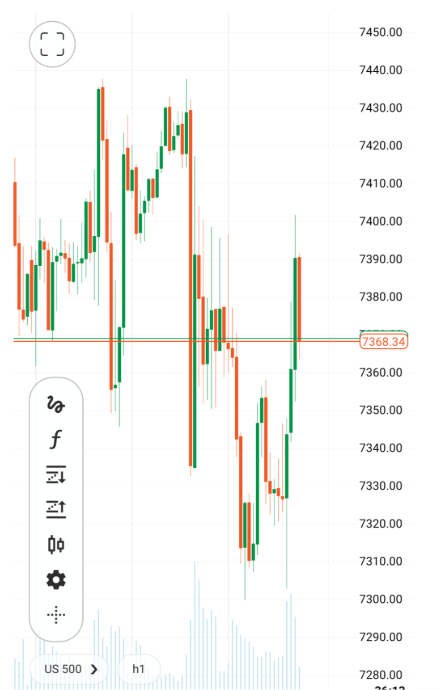
- TradingView — the strongest option for technical traders, with advanced charting, Pine Script, and alerts, executing on Fusion Markets’ pricing.
You also get copy trading through Fusion+ (the broker’s own service) and DupliTrade for a more structured third-party setup on MT4.
Proprietary vs Third-Party: The Trade-Off
Some brokers offer a single, polished in-house app that covers everything – trading, funding, research, and education – in one place. Fusion Markets doesn’t do this, so it’s missing out on a key differentiator against some top competitors.
The benefit is that experienced traders can use the platforms they already know. The downside is that beginners don’t get a guided, all-in-one mobile experience, and account management is still done in the separate Client Hub.
Are The Apps Any Good?
Yes, for serious traders – we spent hours trying them. But there’s a caveat. The supported apps are well-built because they’re maintained by MetaQuotes, Spotware (cTrader), and TradingView, not by Fusion Markets. App-store ratings reflect this.
In our experience using all of them, these apps are reliable for monitoring positions, managing trades, and reacting to market moves when you’re away from your desk. However, you don’t get a mobile-first system built just for Fusion Markets. That does detract from the broker user experience.
Our view is that Fusion Markets is best for traders who mainly use desktop and want solid mobile support as a backup. If you want a single, beginner-friendly app that does everything, you might prefer a broker with its own mobile platform like at Exness or eToro.