 Top Lists for USA
Does Coinbase Accept Credit Cards?
No, Coinbase does not accept credit card deposits or withdrawals in most major jurisdictions. Coinbase stopped allowing new credit cards for US customers in February 2018, while you can’t link new credit cards in most of the rest of its regions. Even if you try to use a credit card through PayPal, Apple Pay, or Google Pay, it won’t work.
 Written By
Christian Harris
Christian is a seasoned analyst, leveraging his expertise in stocks, forex, and crypto to evaluate brokers worldwide. With hands-on trading experience and a strong focus on risk management, he helps traders find reliable platforms. Christian's work for BrokerListings.com has been cited in the Financial Times.
Christian Harris Profile Page Fact Checked By
Tobias Robinson
Tobias is committed to helping traders find the right brokerage for their needs. He has tested 200+ brokers, spent 2,600+ hours using different platforms, and placed 2,100+ trades.
Tobias Robinson Profile Page Edited By
James Barra
James is an experienced broker analyst with a background in financial services. He has spent 2,500+ hours testing brokers, used 35+ different platforms and apps, audited 120+ broker T&Cs, and verified 300+ regulatory licenses. James has also been on US and UK TV, and been a guest on finance podcasts, discussing reports conducted by BrokerListings.com and sharing his expertise.
James Barra Profile PageNovember 2, 2026
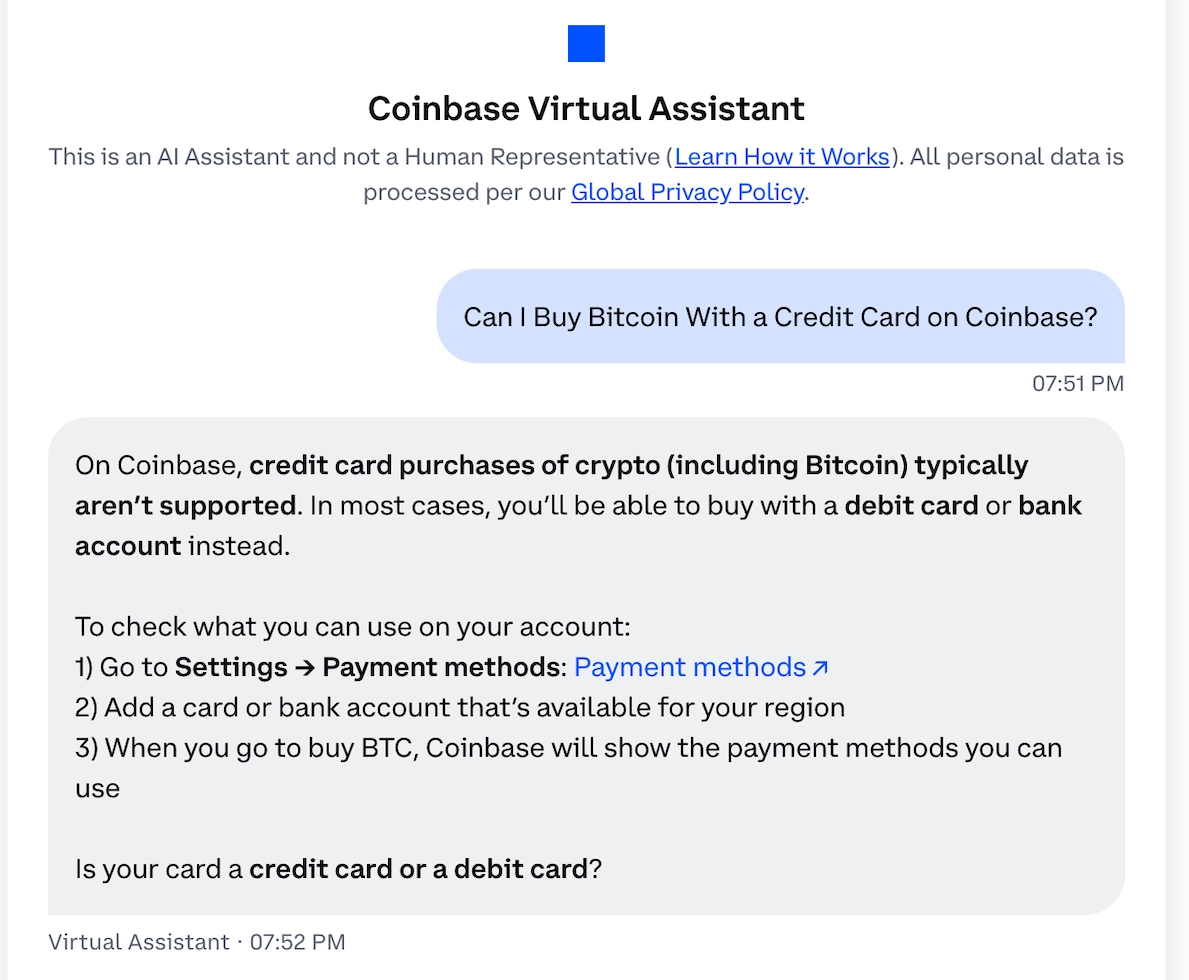
What Coinbase Accepts Instead Of A Credit Card
All payment options on Coinbase now use money you already have, like a debit card, bank account, or PayPal balance. The table shows the options for key regions:
| Where you live | Add a new credit card? | Cards and wallets | Bank options |
|---|---|---|---|
| US | No, blocked since February 2018 | Visa or Mastercard debit card, Apple Pay or Google Pay with a debit card, PayPal | ACH bank transfer, wire |
| UK | No | 3D Secure debit card, Apple Pay or Google Pay with a debit card, PayPal | Easy Bank Transfer, Faster Payments |
| EU | No | 3D Secure debit card, Apple Pay or Google Pay with a debit card, PayPal | SEPA, plus iDEAL in the Netherlands and BLIK in Poland |
PayPal isn’t a workaround either. According to Coinbase’s PayPal FAQ, you can’t use credit cards, PayPal Credit, or buy now, pay later options linked to PayPal to buy crypto. You’ll need to use a PayPal balance, debit card, or bank account instead.
Singapore has even stricter rules. Coinbase Singapore stopped accepting Singapore-issued credit cards from regular customers to follow regulatory guidelines and removed any already linked cards on June 17, 2025. Accredited investors and cards from outside Singapore are not affected.
Where Coinbase’s Own Materials Disagree
A lot of the confusion comes from Coinbase, since its help pages sometimes give different answers. Here are the four main differences I found.
| Coinbase page | What it says | Why it clashes |
|---|---|---|
| UK and EU buying guide | You can buy with a credit or debit card that supports 3D Secure | A few lines further down, the same page says Coinbase no longer supports linking new credit cards |
| UK and EU buying guide, Apple Pay note | Your Apple Pay limit equals your credit card transaction limit plus your Coinbase limit | The UK and EU payment methods page says Apple Pay only appears when a Visa or Mastercard debit card is linked |
| Onramp developer docs | Onramp, the Coinbase buy widget other apps and wallets embed, takes credit cards in more than 90 countries outside the US, including the UK, the EU and Canada | The main Coinbase app blocks new credit cards, and the same docs warn that credit cards have lower acceptance and aren’t supported in the US |
| UK and EU payment methods page | PayPal works for buying in the UK and EU | Coinbase’s How to buy page says only US customers can buy crypto with PayPal |
If you linked a credit card before the cut-off, Coinbase’s US payment methods page warns that some card issuers now block crypto purchases on those cards and your bank might add extra fees. In 2018, Coinbase said these fees are cash advance charges, which Coinbase itself doesn’t collect.

Why Coinbase’s Own Credit Card Doesn’t Help
Coinbase does have its own credit card, but it doesn’t make buying crypto any cheaper. The Coinbase One Card is only available in the US and runs on the American Express network.
You need a paid Coinbase One membership to keep it. The cardholder agreement with First Electronic Bank treats buying or exchanging cryptocurrency as a cash advance and doesn’t allow using the account for investments.
Cash advances cost far more than normal spending. Each one carries a fee of $10 or 5%, whichever is greater, and interest starts the day it posts, with no grace period. The agreement sets the cash advance APR at the US Prime Rate plus 25.49% and lists 32.24%, because prime was 6.75% when it was written.
The Federal Reserve’s H.15 data puts prime at 7.00%, which makes it 32.49% from November 2026 billing cycles. I worked out the cost of a 30-day billing cycle at that rate, dividing the APR by 365 and compounding daily as the agreement does.
| Crypto bought | Cash advance fee | 30 days' interest | Total cost | Cost as % of purchase |
|---|---|---|---|---|
| $100 | $10.00 | $2.71 | $12.71 | 12.7% |
| $500 | $25.00 | $13.53 | $38.53 | 7.7% |
| $1,000 | $50.00 | $27.05 | $77.05 | 7.7% |
These numbers don’t include Coinbase’s own fee and spread, and they’ll change whenever the prime rate changes. The $10 minimum fee hits small purchases the hardest.
For example, if you buy $100 worth, you lose about an eighth of your money before any price changes. A credit card linked before the cut-off can also be treated as a cash advance by your card issuer.
How To Check Which Cards Your Coinbase Account Will Take
These steps let you check what your account accepts before you risk a declined payment. I tried them on my Coinbase account:
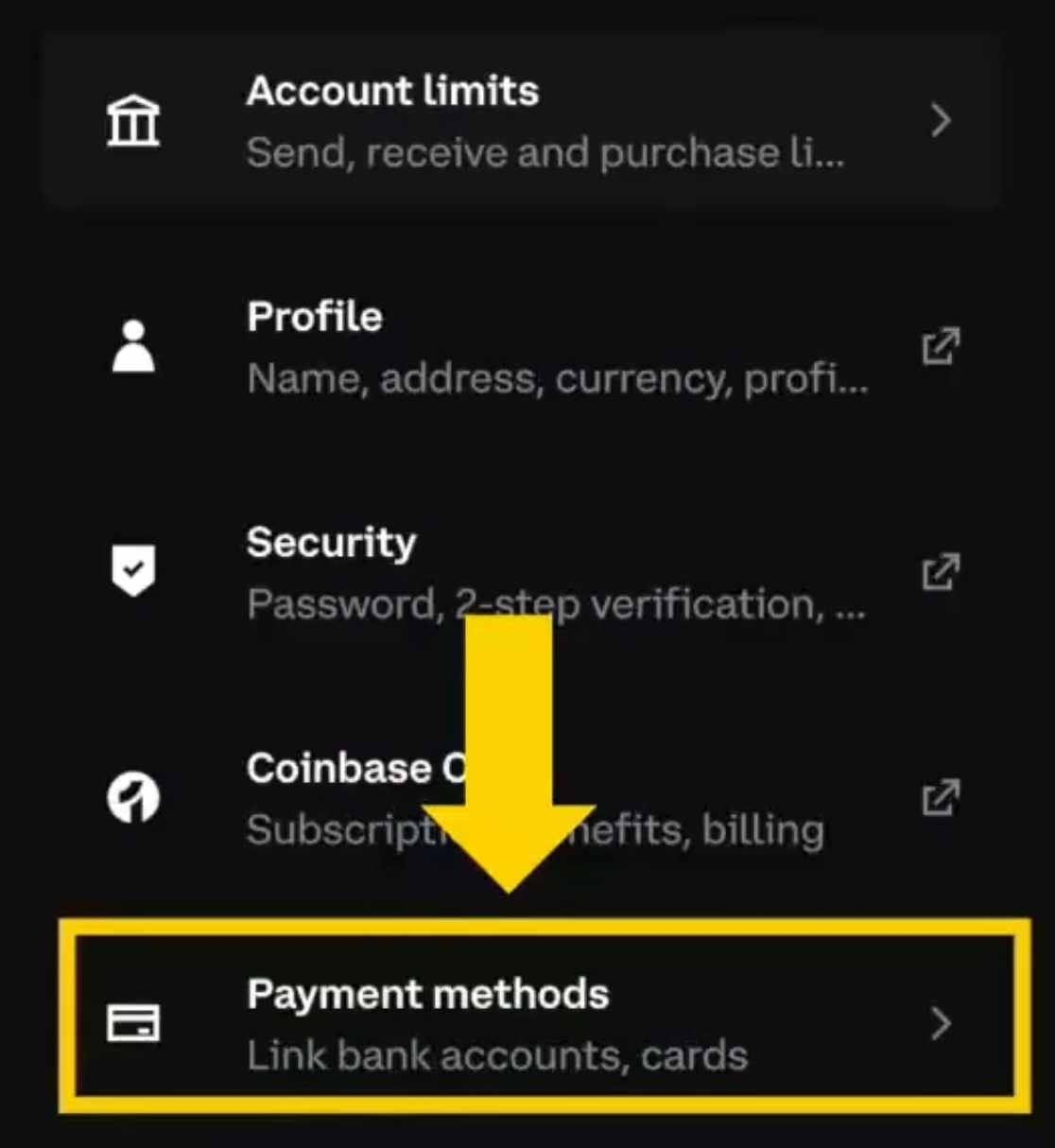
1. Open your payment methods. On the web, select your profile icon, then ‘Settings’ and ‘Payment methods’. In the app, open the menu and go to ‘Profile & Settings’, then ‘Payment methods’.
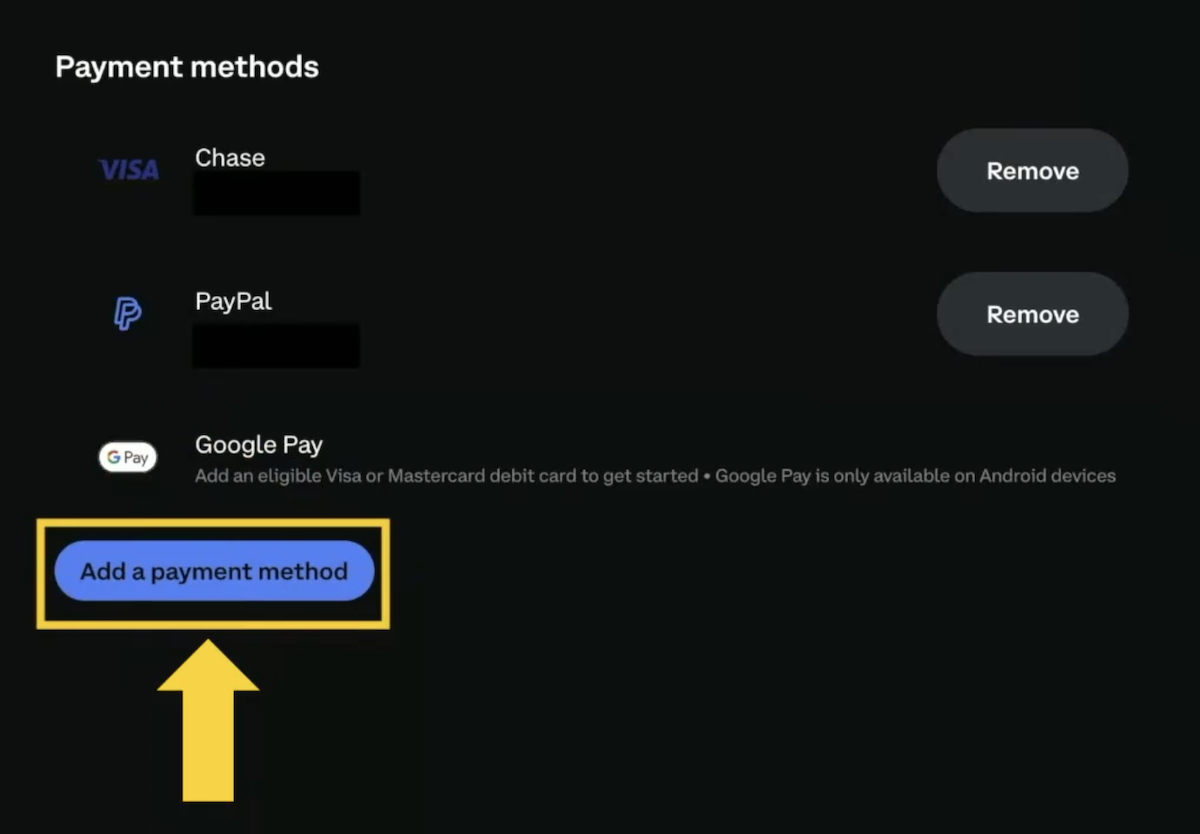
2. Select ‘Add a payment method’ and read the card label. Coinbase US only offers a debit card, while the UK and EU versions offer a 3D Secure card.
3. Use a personal debit card. The UK and EU sites also require 3D Secure and don’t allow prepaid, reloadable, secured, or business cards. The US site doesn’t allow prepaid cards or cards without a billing address. Your card provider can tell you if 3D Secure is enabled.
4. Add a debit card to Apple Pay or Google Pay. These options appear at checkout only if you have a Visa or Mastercard debit card linked.
5. Preview your purchase with each payment method before you pay. Enter the amount, switch payment methods under ‘Pay with,’ and compare the fees on the ‘Review order’ screen. Only continue if you want to buy.
Bottom Line
Keep your credit card in your wallet. Coinbase won’t let you add a new one, and even its own credit card charges cash advance rates for crypto purchases.
If you need crypto right away, use a personal debit card with 3D Secure enabled in the UK and EU, either directly or through Apple Pay or Google Pay. If you have time, preview your order with a bank transfer before you buy, since the ‘Review order’ screen quickly shows which option is cheaper.
If you still have an old credit card linked, switch it out for a debit card or bank account. Your card issuer can treat any purchase as a cash advance. US buyers adding cash by bank transfer should also check if Coinbase is FDIC insured to see when their money is protected.
For full details on fees, platforms, rules, and more, check our full Coinbase review.