 Top Lists for USA
Does Eightcap Have an App?
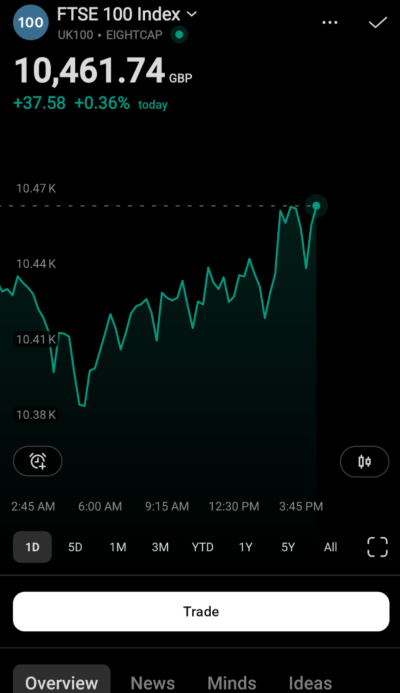
Eightcap does not build its own branded trading app. Instead, you trade on the go through the mobile versions of the platforms it supports: MT4, MT5, and TradingView, plus TradeLocker in regions where it’s rolled out. All are available for iOS and Android. Alternatively, see our top apps for trading online.
 Written By
Christian Harris
Christian is a seasoned analyst, leveraging his expertise in stocks, forex, and crypto to evaluate brokers worldwide. With hands-on trading experience and a strong focus on risk management, he helps traders find reliable platforms. Christian's work for BrokerListings.com has been cited in the Financial Times.
Christian Harris Profile Page Fact Checked By
Tobias Robinson
Tobias is committed to helping traders find the right brokerage for their needs. He has tested 200+ brokers, spent 2,600+ hours using different platforms, and placed 2,100+ trades.
Tobias Robinson Profile Page Edited By
James Barra
James is an experienced broker analyst with a background in financial services. He has spent 2,500+ hours testing brokers, used 35+ different platforms and apps, audited 120+ broker T&Cs, and verified 300+ regulatory licenses. James has also been on US and UK TV, and been a guest on finance podcasts, discussing reports conducted by BrokerListings.com and sharing his expertise.
James Barra Profile PageOctober 7, 2026
The lack of an in-house app is one of the main trade-offs at Eightcap. There is no single “Eightcap” app with a custom interface in the app store. Instead, you download the platform app and log in with your Eightcap credentials. The benefit is that these apps, such as MetaTrader and TradingView, are well-known and work much like their desktop counterparts. We know we’ve spent hours using them on Apple and Android devices.
The downside is that there is no all-in-one app for account management, funding, and trading, unlike many competitors. In fact, Eightcap stands out amongst the major brokers we’ve evaluated like eToro and CMC Markets in not having a bespoke trading app, something that’s often a differentiator and can provide a smoother, more comprehensive mobile trading experience for beginners especially.
Still, in practice, Eightcap’s third-party apps let you see live prices, trade, and manage orders at any time. We found its third-party mobile apps best for quick market checks, trade management, and alert responses. The same fast and reliable Eightcap execution also carries over to its apps, especially in major trading sessions. For detailed charting with many indicators, a desktop or web platform is easier to use, while mobile is better for executing and monitoring trades.
How We Set Up Mobile Trading For Eightcap
Here’s the route we used to get trading on a phone:
- Open your account first. Sign up through Eightcap and pick your platform (MT4, MT5, or TradingView). Eightcap emails the login credentials for that specific trading account.
- Download the matching app. Go to the App Store or Google Play and install the platform you chose: MT4, MT5, or TradingView. Search the platform name, not “Eightcap”.
- Find the Eightcap server. In the MetaTrader apps, select Login to an existing account, then search for the server name shown in your welcome email. For TradingView, connect via the broker panel as you would on desktop.
- Enter your credentials. Use the account number/login and password from the welcome email, then sign in.
- Confirm it’s the right account. Check the balance and account ID match the one you funded, especially if you hold both a demo and a live account.
The step people miss is number three: searching the app store for “Eightcap” returns nothing useful, because you log into the platform app using the broker’s server, not a standalone Eightcap app.