Best Brokers With APIs 2026
Unlock your trading edge through our top brokers with APIs, allowing traders to automate strategies, access real-time data, and execute trades seamlessly.
 Written By
Paul Holmes
With over 15 years of trading experience, including developing algorithmic strategies on MetaTrader and evaluating brokers, he brings deep expertise in market analysis and trader education, helping traders choose the right platform for their requirements.
Paul Holmes Profile Page Fact Checked By
Tobias Robinson
Tobias is committed to helping traders find the right brokerage for their needs. He has tested 200+ brokers, spent 2,600+ hours using different platforms, and placed 2,100+ trades.
Tobias Robinson Profile Page Edited By
James Barra
James is an experienced broker analyst with a background in financial services. He has spent 2,500+ hours testing brokers, used 35+ different platforms and apps, audited 120+ broker T&Cs, and verified 300+ regulatory licenses. James has also been on US and UK TV, and been a guest on finance podcasts, discussing reports conducted by BrokerListings.com and sharing his expertise.
James Barra Profile PageOctober 16, 2026
-
 Available in United States
Not available in United States
Rating breakdown
Available in United States
Not available in United States
Rating breakdownInteractive Brokers (IBKR) is a leading brokerage offering access to over 170 markets in 40 countries and a range of investment services. With 40+ years in the industry, this Nasdaq-listed company follows strict regulations by the SEC, FCA, CIRO, SFC, Europe and beyond, making it a trusted global trading broker.
- Demo Account
- ✓
- Minimum Deposit
- $0
- Minimum Trade
- $1
- Leverage
- 1:50 (major forex pairs), 1:2-1:4 (equities)
- Copy Trading
- ✗
- Regulator
- SEC, FINRA, CFTC, NFA, CIRO, FCA, CBI, ASIC, SFC, SEBI, JFSA, MAS
- Instruments
- Stocks, Options, Futures, Forex, Funds, Bonds, ETFs, Mutual Funds, Cryptocurrencies, CFDs Stocks, Options, Futures, Forex, Funds, Bonds, ETFs, Mutual Funds, Cryptocurrencies
- Platforms
- Trader Workstation (TWS), IBKR Desktop, GlobalTrader, Mobile, Client Portal, AlgoTrader, OmniTrader, TradingView, eSignal, TradingCentral, ProRealTime, Quantower
- Account Currencies
- USD, EUR, GBP, CAD, AUD, INR, JPY, SEK, NOK, DKK, CHF, AED, HUF
- Automated Trading
- TWS API
- AI
- ✓
- Guaranteed Stop Loss
- ✗
Read More
-
Available in United States
Not available in United States
Rating breakdownVisit eToro USA Read ReviewSecurities trading offered by eToro USA Securities, Inc. (“the BD”), member of FINRA and SIPC. Cryptocurrency offered by eToro USA LLC (“the MSB”) (NMLS: 1769299) and is not FDIC or SIPC insured. Investing involves risk. This site is not an affiliate and may be compensated if you access certain products or services offered by the MSB and/or the BD.
eToro is a platform for social investing that provides options for both short and long-term trading on stocks, ETFs, options, and crypto. The platform is recognized for its easy-to-use, community-oriented interface and reasonable fees. Used by millions globally with a string of awards, eToro is a reputed name in the industry. Trading on eToro is facilitated by eToro USA Securities, Inc.
- Demo Account
- ✓
- Minimum Deposit
- $50
- Minimum Trade
- $10
- Leverage
- ✗
- Copy Trading
- ✓
- Regulator
- SEC, FINRA
- Instruments
- Stocks, Options, ETFs, Crypto
- Platforms
- eToro Trading Platform & CopyTrader
- Account Currencies
- USD
- Automated Trading
- ✗
- AI
- ✓
- Guaranteed Stop Loss
- ✗
-
Available in United States
Not available in United States
Rating breakdown
OKX, established in 2017, is a respected cryptocurrency firm offering a wide range of products, including trading and NFTs. Traders have access to over 400 crypto tokens through OTC trading and derivatives. With a strong web platform, developer tools, and advanced charts, OKX is a popular choice for technical traders.
- Demo Account
- ✓
- Minimum Deposit
- 10 USDT
- Minimum Trade
- Variable
- Leverage
- ✗
- Copy Trading
- ✗
- Regulator
- FinCEN, VARA
- Instruments
- Spot, Futures, Swaps, Options, X-Perps
- Platforms
- AlgoTrader, Quantower
- Account Currencies
- USD, EUR, GBP, INR, JPY, SGD, RUB, AED, SAR
- Automated Trading
- ✓
- AI
- ✓
- Guaranteed Stop Loss
- ✗
-
Available in United States
Not available in United States
Rating breakdown
Moomoo is a regulated trading platform overseen by trusted regulators like the SEC. It provides a simple, cost-effective method to trade in stocks, ETFs, and various assets from China, Hong Kong, Singapore, the US, and Australia. They provide the option for margin trading, along with no minimum deposit requirement, and several bonus options.
- Demo Account
- ✓
- Minimum Deposit
- $0
- Minimum Trade
- $0
- Leverage
- 1:2
- Copy Trading
- ✗
- Regulator
- SEC, FINRA, MAS, SFC, ASIC, CIRO, JFSA, SC
- Instruments
- Stocks, Options, ETFs, ADRs, OTCs ,Futures
- Platforms
- Desktop Platform, Mobile App
- Account Currencies
- USD, CAD, AUD, JPY, MYR, HKD, SGD, CNY
- Automated Trading
- Moomoo OpenAPI
- AI
- ✓
- Guaranteed Stop Loss
- ✗
-
Available in United States
Not available in United States
Rating breakdown
Pionex is a platform for cryptocurrency trading, including spot trading. It focuses on trading robots and offers many pre-built bots and strategies. It also features integrated Artificial Intelligence to assist in customizing strategies, with its tools standing out in hands-on testing.
- Demo Account
- ✓
- Minimum Deposit
- $0
- Minimum Trade
- 0.1 USDT
- Leverage
- ✗
- Copy Trading
- ✓
- Regulator
- CBI
- Instruments
- Cryptos, Perpetual Futures
- Platforms
- Own
- Account Currencies
- ✗
- Automated Trading
- Crypto bots
- AI
- ✓
- Guaranteed Stop Loss
- ✗
Best Brokers For APIs Comparison
| Broker | |
USD Account |
Automated Trading |
Fast Execution |
|---|---|---|---|---|
 |
✓ | TWS API | ✓ | |
 |
✓ | ✗ | ✓ | |
 |
✓ | ✓ | ✓ | |
 |
✓ | Moomoo OpenAPI | ✓ | |
 |
✗ | Crypto bots | ✗ | |
| Broker | |
USD Account |
Automated Trading |
Fast Execution |
Broker Details Comparison
| Broker | Demo Account |
Minimum Deposit |
Minimum Trade |
Leverage |
Assets |
Platforms |
|---|---|---|---|---|---|---|
|
✓ | $0 | $1 | 1:50 (major forex pairs), 1:2-1:4 (equities) | Stocks, Options, Futures, Forex, Funds, Bonds, ETFs, Mutual Funds, Cryptocurrencies, CFDs Stocks, Options, Futures, Forex, Funds, Bonds, ETFs, Mutual Funds, Cryptocurrencies | Trader Workstation (TWS), IBKR Desktop, GlobalTrader, Mobile, Client Portal, AlgoTrader, OmniTrader, TradingView, eSignal, TradingCentral, ProRealTime, Quantower |
|
✓ | $50 | $10 | ✗ | Stocks, Options, ETFs, Crypto | eToro Trading Platform & CopyTrader |
|
✓ | 10 USDT | Variable | ✗ | Spot, Futures, Swaps, Options, X-Perps | AlgoTrader, Quantower |
|
✓ | $0 | $0 | 1:2 | Stocks, Options, ETFs, ADRs, OTCs ,Futures | Desktop Platform, Mobile App |
|
✓ | $0 | 0.1 USDT | ✗ | Cryptos, Perpetual Futures | Own |
| Broker | Demo Account |
Minimum Deposit |
Minimum Trade |
Leverage |
Assets |
Platforms |
Safety Comparison
Compare how safe the Best Brokers With APIs 2026 are.
| Broker | Trust Rating |
Guaranteed Stop Loss |
Negative Balance Protection |
Segregated Accounts |
|---|---|---|---|---|
|
✗ | ✗ | ✓ | |
|
✗ | ✗ | ✓ | |
|
✗ | ✗ | ✗ | |
|
✗ | ✗ | ✓ | |
|
✗ | ✗ | ✗ | |
| Broker | Trust Rating |
Guaranteed Stop Loss |
Negative Balance Protection |
Segregated Accounts |
Mobile Trading Comparison
Compare the mobile trading features of the Best Brokers With APIs 2026.
| Broker | Mobile Apps |
iOS Rating |
Android Rating |
Smart Watch App |
|---|---|---|---|---|
|
iOS & Android | ✓ | ||
|
iOS & Android | ✗ | ||
|
Android & iOS | ✗ | ||
|
Yes (iOS & Android) | ✗ | ||
|
iOS & Android | ✗ | ||
| Broker | Mobile Apps |
iOS Rating |
Android Rating |
Smart Watch App |
Comparison for Beginners
Compare how suitable the Best Brokers With APIs 2026 are for beginners.
| Broker | Demo Account |
Minimum Deposit |
Minimum Trade |
Education Rating |
Support Rating |
Fractional Shares |
Demo Competitions |
|---|---|---|---|---|---|---|---|
|
✓ | $0 | $1 | ✓ | ✗ | ||
|
✓ | $50 | $10 | ✓ | ✗ | ||
|
✓ | 10 USDT | Variable | ✗ | ✗ | ||
|
✓ | $0 | $0 | ✓ | ✗ | ||
|
✓ | $0 | 0.1 USDT | ✗ | ✗ | ||
| Broker | Demo Account |
Minimum Deposit |
Minimum Trade |
Education Rating |
Support Rating |
Fractional Shares |
Demo Competitions |
Comparison for Advanced Traders
Compare how suitable the Best Brokers With APIs 2026 are for advanced or professional traders.
| Broker | Automated Trading |
VPS |
API |
AI |
Pro Account |
Leverage |
Low Latency |
Extended Hours |
|---|---|---|---|---|---|---|---|---|
|
TWS API | ✗ | ✓ | ✓ | ✗ | 1:50 (major forex pairs), 1:2-1:4 (equities) | ✓ | ✓ |
|
✗ | ✗ | ✓ | ✓ | ✗ | ✗ | ✓ | ✓ |
|
✓ | ✗ | ✓ | ✓ | ✗ | ✗ | ✓ | ✗ |
|
Moomoo OpenAPI | ✗ | ✓ | ✓ | ✗ | 1:2 | ✓ | ✓ |
|
Crypto bots | ✗ | ✓ | ✓ | ✗ | ✗ | ✗ | ✗ |
| Broker | Automated Trading |
VPS |
API |
AI |
Pro Account |
Leverage |
Low Latency |
Extended Hours |
Accounts Comparison
Compare the trading accounts offered by Best Brokers With APIs 2026.
| Broker | Demo Account |
Interest on Cash |
Islamic Account |
Joint Account |
Managed Account |
PAMM |
MAM |
LAMM |
Pro Account |
|---|---|---|---|---|---|---|---|---|---|
|
✓ | USD: 3.14%, GBP: 3.24% | ✗ | ✓ | ✓ | ✗ | ✓ | ✗ | ✗ |
|
✓ | USD: 4.05% | ✗ | ✗ | ✓ | ✗ | ✗ | ✗ | ✗ |
|
✓ | ✗ | ✗ | ✗ | ✗ | ✗ | ✗ | ✗ | ✗ |
|
✓ | USD: 3.35% | ✗ | ✗ | ✗ | ✗ | ✗ | ✗ | ✗ |
|
✓ | ✗ | ✗ | ✗ | ✗ | ✗ | ✗ | ✗ | ✗ |
| Broker | Demo Account |
Interest on Cash |
Islamic Account |
Joint Account |
Managed Account |
PAMM |
MAM |
LAMM |
Pro Account |
Detailed Rating Comparison
Compare how we rated the Best Brokers With APIs 2026 in key areas.
| Broker | Trust |
Platforms |
Assets |
Mobile |
Fees |
Accounts |
Research |
Education |
Support |
|---|---|---|---|---|---|---|---|---|---|
|
|||||||||
|
|||||||||
|
|||||||||
|
|||||||||
|
|||||||||
| Broker | Trust |
Platforms |
Assets |
Mobile |
Fees |
Accounts |
Research |
Education |
Support |
Fee and Cost Comparison
Compare the cost of trading with the Best Brokers With APIs 2026.
| Broker | Cost Rating |
Fixed Spreads |
Inactivity Fee |
EUR/USD Spread |
Crypto Spread |
|---|---|---|---|---|---|
|
✗ | $0 | 0.08-0.20 bps x trade value | 0.12%-0.18% | |
|
✓ | $10 | ✗ | BTC 0.75% | |
|
✗ | $0 | ✗ | Variable | |
|
✗ | $0 | ✗ | 0.49% per spot Bitcoin trade (US), 0.3% to 0.39% (Singapore) | |
|
✗ | ✗ | ✗ | Market | |
| Broker | Cost Rating |
Fixed Spreads |
Inactivity Fee |
EUR/USD Spread |
Crypto Spread |
Customer Ratings
Compare how customers of these brokers feel about them, with real user ratings from Trustpilot, the Apple App Store and Google Play.
| Broker | Customers |
Trustpilot Score |
Trustpilot Reviews |
Android App Rating |
iOS App Rating |
|---|---|---|---|---|---|
|
4,300,000 | 5,531 | |||
|
3,200,000 | 32,244 | |||
|
50,000,000 | 1,784 | |||
|
24,000,000 | 739 | |||
|
5,000,000 | 636 | |||
| Broker | Customers |
Trustpilot Score |
Trustpilot Reviews |
Android App Rating |
iOS App Rating |
Broker Popularity
See how popular the Best Brokers With APIs 2026 are in terms of number of clients.
| Broker | Popularity |
|---|---|
| OKX |
|
| Moomoo |
|
| Pionex |
|
| Interactive Brokers |
|
| eToro USA |
|
Why Trade With Interactive Brokers?
Interactive Brokers is ideal for seasoned traders due to its robust charting platforms, updated data, and adaptability, especially with the IBKR Desktop application. Its exceptional pricing and advanced order features appeal to traders, and its variety of stocks remains unmatched in the market.
 Christian Harris
Review Author
Pros
- IBKR offers exceptional access to global stocks, with thousands of equities available from over 100 market centers in 24 countries, including the recent addition of the Saudi Stock Exchange.
- There's a large selection of free or paid research subscriptions available to all traders. If you subscribe to Toggle AI, you will also receive commission refunds from IBKR.
- The TWS platform is designed for intermediate to advanced traders. It includes over 100 order types and a dependable real-time market data feed that rarely experiences downtime.
Cons
- Only one active session per account is allowed, which means you can't run the desktop version and mobile app at the same time. This can sometimes lead to a frustrating trading experience.
- In 2025, IBKR was fined $11.8 million by the US OFAC for offering services in restricted areas. It also faced a $125,000 fine from FINRA in 2025 for failing to disclose municipal bond information.
- Customer service may take time to respond, and there may be delays in fixing problems based on tests. It could be difficult to reach the customer service promptly.
Why Trade With eToro USA?
eToro is a strong choice for traders seeking social investing and copy trading. Its low deposit, zero commissions, and easy-to-use platform suit new traders.
James BarraReview Author
Pros
- eToro USA Securities is a reliable broker that's regulated by the SEC, part of FINRA, and a member of SIPC.
- The eToro App Store launched in 2026, offering algorithmic trading tools and social analytics. In July, it introduced an AI-powered app for autonomous trading.
- Traders can use Smart Portfolios for a simpler approach, covering multiple sectors and markets like renewable energy and artificial intelligence.
Cons
- Traders used to third-party charting tools won't find MetaTrader 4 platform integration.
- eToro USA was fined $1.5 million by the SEC in 2024 for unregistered crypto offerings.
- The range of trading instruments is limited compared to some competitors, offering mainly stocks, ETFs, a large selection of options, and cryptocurrencies.
Why Trade With OKX?
OKX is a preferred choice for traders seeking new cryptocurrencies and projects for investment. Traders can benefit from its copy trading feature and automated bots.
Christian HarrisReview Author
Pros
- A large development lab is offered along with access to a marketplace of ready-made trading bots with automatic arbitrage.
- In 2025, OKX obtained a MiFID II license, allowing it to offer regulated derivatives products in Europe, ensuring confidence.
- X-Perps, introduced in 2026, offers opportunities in traditional financial assets like US stocks and commodities.
Cons
- Customer support quality varied during testing.
- In 2025, OKX agreed to pay over $500 million for violating U.S. AML laws.
- The firm has limited regulatory oversight, which is common for crypto exchanges.
Why Trade With Moomoo?
Moomoo is a great option for beginner and intermediate traders aiming to diversify their investment portfolio. The brokerage's app is easily navigable and the trading fees are significantly low.
James BarraReview Author
Pros
- Moomoo offers detailed analytics and insights compared to other brands.
- The Moomoo AI assistant, available on the desktop software and app, offers valuable market insights for active traders.
- API Skills offers agentic investing for retail traders. Users can connect their AI agents, such as Claude or OpenAI, to Moomoo's platform to execute algorithmic strategies using natural language.
Cons
- The account options are limited compared to similar brokerages, with no managed portfolios or robo-advisor solutions.
- No negative balance protection, a standard safety feature at top-tier regulated brokers.
- Moomoo has received several regulatory penalties lately, including fines and orders in 2026 that temporarily halted the acceptance of some Japanese and Chinese clients.
Why Trade With Pionex?
Pionex is a great choice for crypto traders interested in advanced AI and automated trading.
James BarraReview Author
Pros
- The advanced AI chatbot 'PionexGPT' assists users in setting up trading bots using Pine script.
- 16+ free built-in trading bots require no coding and work with tokenized U.S. equities, real-world assets, and cryptocurrencies
- Supports 280+ tokenized instruments, including U.S. stocks such as AAPLX and TSLAX, ETFs, and Gold. Offers 24/7 trading with USDT settlement (not available to U.S. clients).
Cons
- Limited contact options
- Limited regulation increases worries about safety in trading.
- Trading may involve withdrawal fees and limits.
Filters
How We Chose the Best API Brokers
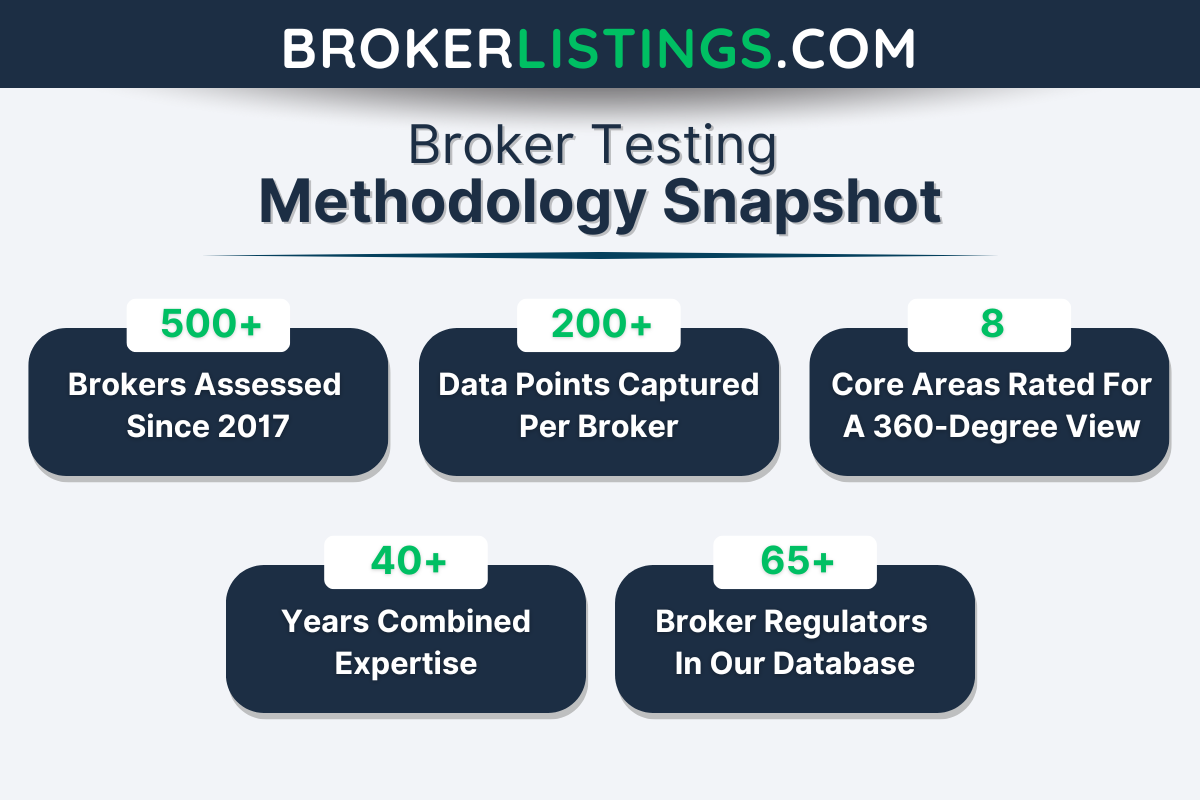
We conducted a comprehensive review of each broker in our database offering API access, assigning overall ratings and ranking them accordingly.
Here’s how we approached our analysis:
- Data-Driven Assessment – We analyzed over 200 key data points across multiple categories, evaluating factors such as the breadth of market access, order execution speed, and API availability.
- Hands-On Testing – Our team directly tested each broker’s software, assessing ease of integration and overall user experience. We also looked at advanced features like algorithmic trading support, which enhance a trader’s ability to optimize strategies.
What to Look for in a Broker with API Trading
Choosing the right broker for API trading can feel overwhelming, especially if you’re new to the game, so we’ve broken it down into simple, actionable points:
API Documentation and Ease of Use
- Clear Documentation: The broker should provide well-organized, beginner-friendly API documentation. If it feels like reading a foreign language, it’s not the right fit.
- SDKs and Libraries: Look for brokers that offer Software Development Kits (SDKs) or pre-built libraries in popular programming languages like Python, Java, or C#. These make integration much easier.
- Sandbox Environment: A testing environment (or “sandbox”) is crucial for practising your API trading strategies without risking real money.
IBKR really impressed during testing, providing a well-documented API with access to global markets.
Supported Trading Instruments
- Diverse Options: Ensure the broker supports the assets you want to trade, such as stocks, forex, cryptocurrencies, and commodities.
- Global Markets: If you’re focusing on European markets, check if the broker offers access to exchanges like the London Stock Exchange (LSE). Alternatively, if you’re interested in US markets, look for access to exchanges like the NASDAQ.
Pro tip: Don’t overcomplicate your first strategy. Focus on one market or asset class.
Reliability and Speed
- Low Latency: Brokers with fast execution are critical in trading. Look for firms with low-latency APIs to ensure your trades are executed quickly.
- Uptime Guarantees: Check if the brokerage offers high uptime (99.9% or better) to avoid disruptions during critical trading moments.
Interactive Brokers is a stand-out option here, offering a robust API supporting multiple asset classes and low latency.
Security
- Encryption: APIs should use secure protocols like HTTPS and WebSocket (WSS) to protect your data.
- Two-Factor Authentication (2FA): Adds an extra layer of security to your account.
- API Key Permissions: Look for providers that allow you to set specific permissions for your API keys (e.g., read-only, trade-only).
Pro tip: Store API keys securely and consider using environment variables to manage them in your code.
Fees and Costs
- API Usage Fees: Some brokers charge extra for API access. Make sure the costs align with your budget.
- Trading Commissions: Compare commission structures, especially if you plan to execute a high volume of trades.
CMC Connect from CMC Markets offers APIs for advanced users while still delivering low costs for active traders.
Customer Support
- Responsive Support: Look for brokerages with 24/7 customer support, especially if you’re trading across different time zones.
- Developer Assistance: Some brokers offer dedicated support for API-related issues, which can be a lifesaver if you run into technical problems.
Pro tip: If you’re coding your own algorithms, use tools like Git to track changes and avoid losing work.
Regulatory Compliance
- Licensed and Regulated: Ensure the broker is regulated by reputable authorities like the SEC (US) FCA (UK), CySEC (Cyprus), or BaFin (Germany). This adds a layer of trust and security.
- Transparency: The broker should clearly outline their regulatory status and compliance measures on their website.
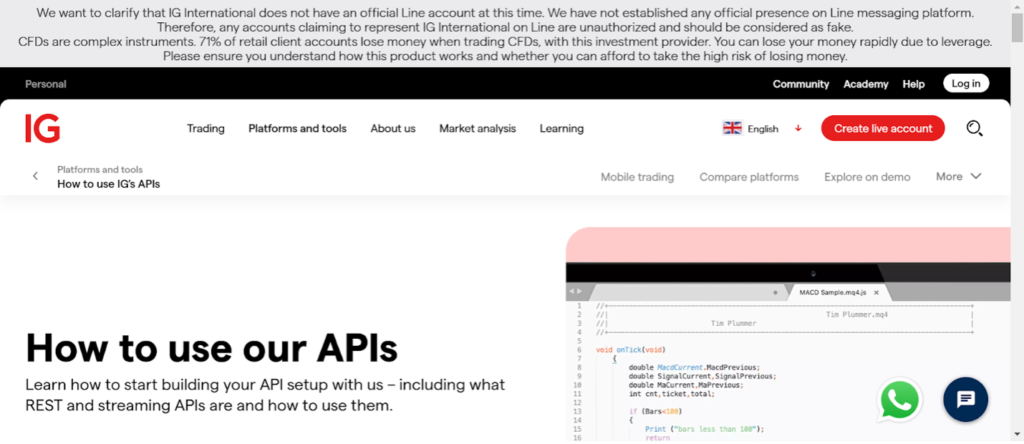
IG is the most trusted API broker we’ve tested, providing a highly regulated service with extensive market access spanning over 17,000 instruments.
Expert take: I’ve discovered that a user-friendly API, robust security, and reliable execution are non-negotiable.
How to Trade with the Best Brokers Offering APIs
Now you’ve chosen a broker with a solid API offering, let’s walk through the steps to get started with API trading.
Step 1: Set Up Your Trading Account
- Verify Your Account: Complete the KYC (Know Your Customer) process by submitting identification documents. This is mandatory for regulated brokers.
- Deposit Funds: Add funds to your account using your preferred payment method (bank transfer, credit card, etc.).
Step 2: Access the API Documentation
Once your account is set up:
- Locate the API Docs: Most brokers we’ve tested provide API documentation on their websites. Look for a “Developer” or “API” section.
- Read the Basics: Familiarize yourself with the API’s endpoints, authentication methods, and rate limits.
- Check for SDKs: If the broker offers SDKs (Software Development Kits) in your preferred programming language, download them to simplify integration.
Step 3: Generate API Keys
API keys are like passwords that allow your software to interact with the broker’s platform. Here’s how to create them:
- Navigate to API Settings: This is usually found in your account dashboard under “Security” or “API Management.”
- Create a New Key: Choose your permissions (e.g., read-only, trade execution, or both).
- Store Securely: Save your API key in a secure location. Never share it publicly or hard-code it into your scripts.
Step 4: Test in a Sandbox Environment
Before going live, test your strategies in a sandbox (simulated trading environment):
- Access the Sandbox: Most brokers offer a demo or sandbox mode for API testing.
- Run Your Scripts: Test your trading algorithms with fake money to ensure they work as expected.
- Monitor Performance: Check for errors, latency issues, or unexpected behaviour.
Step 5: Go Live with Small Trades
Once you’re confident in your setup:
- Start Small: Begin with small trades to minimize risk while you fine-tune your strategy.
- Monitor Closely: Keep an eye on your trades and API performance in real-time.
- Scale Up: Gradually increase your trade size as you gain confidence and see consistent results.
Step 6: Optimize and Iterate
API trading is an ongoing process. Here’s how to stay ahead:
- Analyze Performance: Use the broker’s API to pull trade data and analyze your results.
- Refine Strategies: Adjust your algorithms based on market conditions and performance metrics.
- Stay Updated: Keep an eye on API updates or new features from your broker.
API Deep-Dive Guides
The API options and setup can be especially complex at some brokerages, so we’ve created in-depth guides to unpack the details:
FAQ
What Is an API for Trading?
API stands for Application Programming Interface.
Think of it as a bridge that allows two pieces of software to talk to each other. In trading, APIs connect your custom software (like a trading bot or algorithm you’ve created) to your broker’s platform.
In short, APIs let you automate and customize your trading experience.
For example:
- You write a Python script that analyses market data and decides when to buy or sell.
- The API sends your script’s instructions to the broker’s system, which then executes the trade.
How Do Traders Use APIs?
Here’s how APIs can supercharge your trading:
- Algorithmic Trading: APIs allow you to create algorithms that execute trades automatically based on predefined rules (e.g., buy when a stock drops 5%).
- 24/7 Trading: Bots can trade for you even while you sleep, taking advantage of opportunities in different time zones.
- Accessing Real-Time Market Data: APIs provide live price feeds, order book, and historical data, essential for making informed decisions.
- Executing Trades Faster: APIs let you execute trades in milliseconds instead of manually clicking buttons on a trading platform. This is especially important for high-frequency or scalping strategies.
- Building Custom Tools: APIs allow you to create personalized dashboards, risk management tools, or portfolio trackers tailored to your needs.
What Are the Pros and Cons of Trading With an API?
Before I fully committed to API trading, I weighed up the advantages and disadvantages. Here’s a quick summary to help you decide if it’s the right fit for you:
Pros:
- Automate repetitive tasks like market analysis and trade execution.
- Execute trades 24/7 without manual intervention.
- APIs enable lightning-fast trade execution, which is crucial for strategies like scalping or high-frequency trading.
- Eliminate human error in trade placement.
- Build tailored tools, dashboards, and algorithms that fit your unique trading style.
- Access real-time data and create personalised trading strategies.
- Use APIs to tap into advanced broker features like historical data, order book insights, and risk management tools.
- Easily scale your trading activities as your strategies grow more complex, or your portfolio expands.
Cons:
- Requires programming knowledge or the willingness to learn.
- Debugging and maintaining algorithms can be time-consuming.
- Some brokers charge extra for API access or higher data usage.
- Developing and maintaining custom tools can incur additional expenses.
- A poorly coded algorithm can lead to significant losses.
- API downtime or connectivity issues can disrupt trading.
- API keys can be compromised if not stored securely.
- Automated systems are vulnerable to hacking or misuse.
- Relying too much on automation can lead to a lack of understanding of market dynamics.
- Technical glitches or broker-side issues can disrupt your trading.